
OPEROboard · JD EDWARDS ANALYTICS
See what is happening in JDE. Without waiting for a report.
OperoBoard turns JD Edwards EnterpriseOne data into role-based dashboards for sales, finance, inventory, procurement and production — directly in the browser.
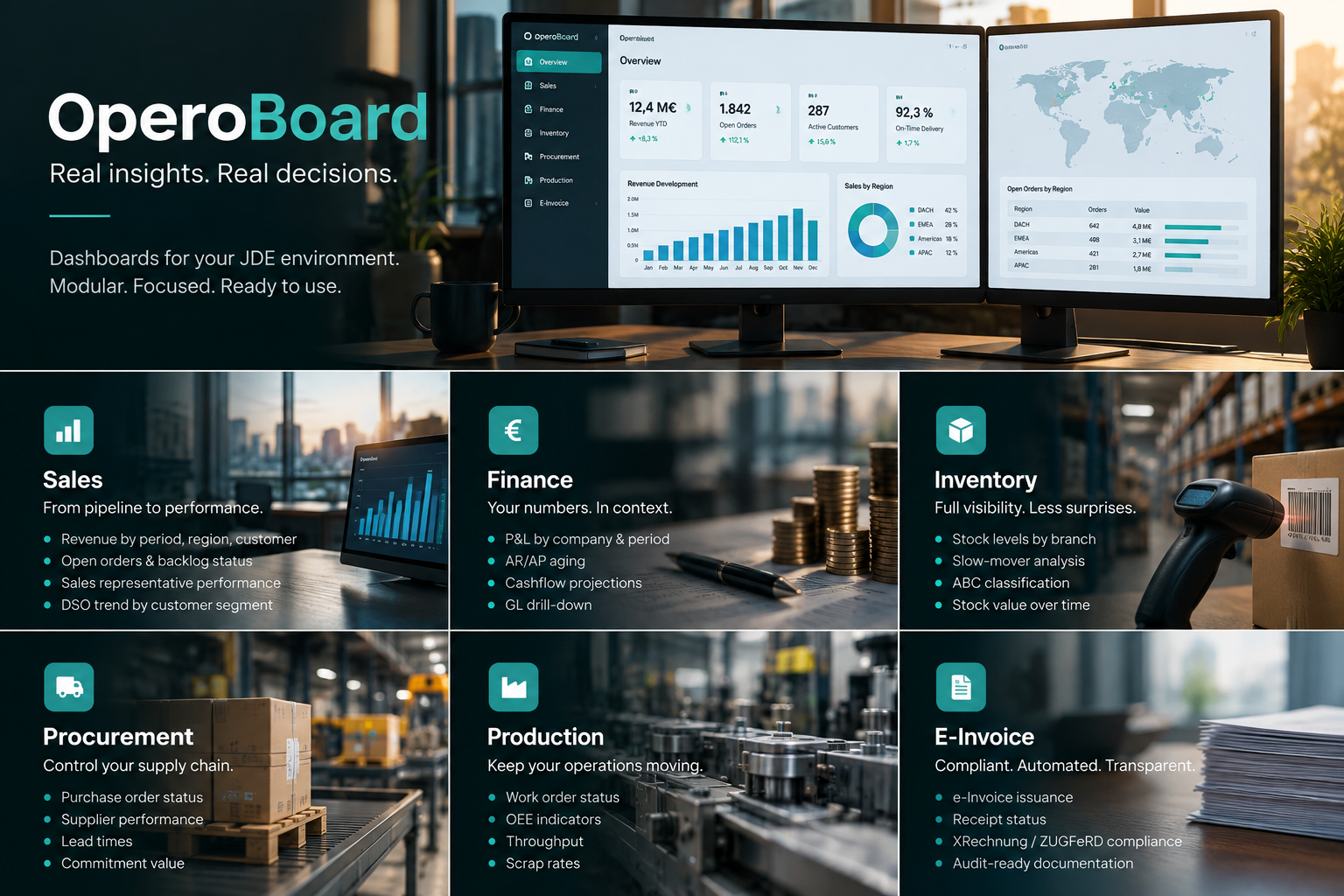
OPEROboard · JDE DASHBOARDS
One view across your JDE business
WHY OPEROboard
The data is already in JDE. The problem is getting it to the people who need it.
Monthly exports, custom reports and manually assembled Excel files create a delay between what is happening in JD Edwards and what management can actually see.
OperoBoard closes that gap. It presents selected JDE data as role-based dashboards with KPIs, trends and drill-downs — without asking decision-makers to work inside EnterpriseOne.
Six modules
Six views into the same JDE environment.
Each module focuses on a different business area while working from the same JD Edwards environment.Sales
Revenue · Open orders · Customers · DSO
Finance
P&L · AR/AP aging · Cashflow · GL drill-down
Inventory
Stock · Slow movers · ABC analysis · Stock value
Procurement
Purchase orders · Suppliers · Lead times · Commitments
Production
Work orders · OEE · Throughput · Scrap
E-Invoice
Issuance · Receipt status · XRechnung · ZUGFeRD
How it works
From JDE data to a usable dashboard.
We connect the relevant JDE data, configure the dashboard modules and define who should see what.1
Connect JDE
JDE Orchestrator feeds OperoBoard with the relevant Business Views, schedule-driven or event-based.2
Activate modules
Pick the modules that hurt most today. Sales, Finance, Inventory — or all six. Each module ships with default KPIs.3
Define roles
CEO, CFO, Sales lead, Plant manager. Each role gets a curated dashboard view — no information overload.4
Go live
Users access dashboards in the browser or mobile. Drill-down takes them to the underlying JDE booking when needed.Use cases
Who benefits from better JDE visibility?
Different roles need different views of the same JDE environment. OperoBoard keeps the source consistent while tailoring the presentation.
Executive team
One screen. Everything that matters.
The CEO opens OperoBoard at 7am and sees the state of the business. Revenue last week, open AR, top stock anomalies, production issues. The Monday-meeting starts from numbers, not from reports being assembled.
Sales leadership
Pipeline that's actually current.
The VP Sales doesn't wait for the monthly Excel from controlling. Sales-by-rep, win-rates, DSO by customer — current to the last hour. Sales calls happen on data that's still hot.
Finance & controlling
The CFO answers fast.
"How do we stand on receivables?" — answered in OperoBoard in 5 seconds, with drill-down to the customer level. "Where's the cash position?" — same thing. Less time gathering, more time advising.
Plant management
Production visibility from the shop floor up.
The plant manager sees work order status, OEE, and scrap rates without logging into JDE. Production meetings start with the data, not with someone walking the floor to ask.Which JDE versions are supported?
OperoBoard works with JD Edwards EnterpriseOne 9.1 and 9.2, plus Tools Release 9.2.5 or higher (where Orchestrator is fully production-grade). Data extraction happens via Orchestrator service requests against standard Business Views.
Can we start with just one or two modules?
Yes — that's the recommended path. Most customers start with Sales + Finance, then add Inventory and Procurement once the team is comfortable with the platform. Adding modules later is a configuration change, not a rebuild.
Cloud or on-premises?
Three options. Cloud (SaaS) on IONOS Germany is the default — fastest to start, lowest operational overhead. On-premises in your own data center or private cloud is available for customers with data-residency or sovereignty requirements. Your own cloud — we deploy and manage OperoBoard inside your Azure, AWS, or GCP tenant, so your existing cloud contracts and security policies apply.
All three deploy as the same Docker stack (PostgreSQL + Redis + the OperoBoard app), takes about a day to install, and is fully managed by Suppora as part of Care.
How current is the data — real-time or batch?
Configurable per data source. Sales orders and finance bookings typically refresh every 5-15 minutes. Inventory and production data can be near-real-time (every 1-2 minutes). Slower-changing data (top customers, supplier scorecards) refreshes hourly or daily.
True streaming is possible for specific KPIs via Orchestrator event publishers, where the JDE event triggers an immediate dashboard update.
How does role-based access work?
OperoBoard has its own role model — typically aligned with JDE role definitions but configured separately for dashboard visibility. A Sales rep sees their own region. The CFO sees consolidated views. The plant manager sees only their plant's production data.
Row-level filtering on JDE master data (branch, business unit, company) ensures users only see data they're entitled to.
Can the dashboards match our brand?
Yes — colors, logo, fonts and the layout grid are configurable per tenant. For Enterprise customers, custom CSS and component theming are available.
What does it cost?
OperoBoard pricing depends on deployment (Cloud vs On-Prem), number of modules, and number of users. Care customers (Professional or Enterprise tier) include OperoBoard. Standalone customers receive a custom proposal. Get in touch for a quote.
Is there a live demo we can explore?
Yes — visit our live demo environment. It runs on anonymised sample data, but you can click through all six modules, drill into KPIs, and see how the dashboards behave. Login credentials are provided on request.