
OPEROOPS · JDE OPERATIONS CENTER
See problems early. Contain them before they spread.
OperoOps monitors JD Edwards environments continuously — servers, services, databases, jobs and integrations — and can contain known after-hours incidents within the limits you define.
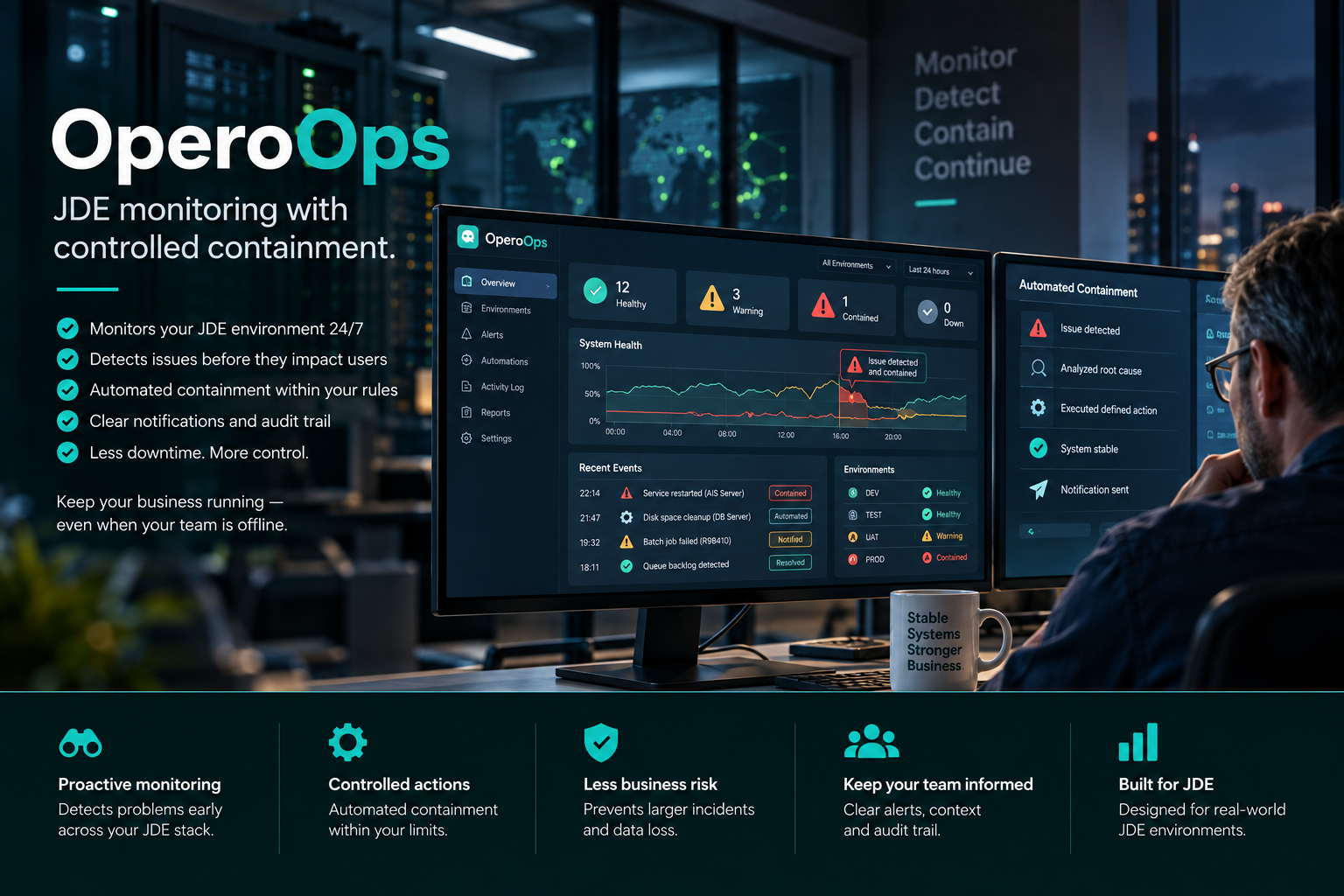
OPEROOPS · LIVE OPERATIONS
Monitoring, alerts and controlled response
One view across the JDE stackEnterprise ServerKernels · queues · servicesHTML ServerPorts · response · JVMDatabaseCapacity · performanceOrchestratorAvailability · integrations
WHY OPEROOPS
The first sign of trouble should not be a user complaint.
JDE environments are quietly complex. A disk fills up, a JVM runs hot, a batch queue backs up or a scheduled job fails — and too often the business notices before IT does.
OperoOps turns that environment into a visible operational state. It detects changes, routes alerts to the right people and, where you allow it, contains known low-risk incidents before they become larger outages.
Overnight, the goal is not to solve everything. It is to stop a small incident from becoming tomorrow morning’s outage.
WHAT YOU SEE
JDE-aware monitoring instead of another generic infrastructure dashboard.
OperoOps connects infrastructure signals to the JDE components and operational processes behind them.Environment health
Hosts, Enterprise Server, HTML, AIS, Orchestrator and database state in one operational view.
UBE & Scheduler
Job status, queues, failures and runtime behaviour without waiting for users to report a problem.
Database monitoring
Capacity, waits, I/O and performance signals for Oracle, SQL Server or Db2 environments.
User & security visibility
JDE users, roles, access state and security-related checks in the same operational context.
EDI & Z-file monitoring
Operational visibility into interface tables, record volumes and processing state.
Alerts & audit trail
Severity-based alerting, clear ownership and a factual history of what happened and what OperoOps did.
Beyond monitoring
Monitoring is only half the job after hours.
For known, low-risk failure modes, OperoOps can take a defined containment action automatically — for example rotating a runaway log or freeing temporary space. The objective is not autonomous root-cause repair. It is controlled damage limitation until a person takes over. Every intervention is graded by blast radius and capped per environment. At night, only the reversible actions run on their own. Everything wider waits for a person.Contain overnight. Diagnose in business hours. On-call stops being a nightly fire drill.
Graded by blast radius
ReversibleClear temp · rotate logs · drain a queue
Autonomous · even overnightSingle instanceRestart one service
Policy or approvalSingle environmentStop or start an environment
Approval requiredServer-wideReboot a host
Approval required✓
Verified, not assumedEach action is re-checked afterwards — did it actually help?
≡
Fully loggedEvery automated action lands in an audit trail for review.
How it works
From first connection to an operational JDE picture.
Connect the environment, discover the components, define alerting and decide exactly which containment actions are allowed.1
Install agents
Lightweight agents send read-only telemetry. Monitoring changes nothing on the host.2
Discover the stack
Components, Tools Releases, services and scheduled jobs become visible.3
Set the rules
Choose alert routing, escalation — and which containment actions may run, and how far.4
Go live
Monitor continuously, learn baselines, and contain after-hours incidents within your limits.Where it pays off
Four situations where earlier operational context matters.
The value is not another stream of metrics. It is seeing the right problem early enough to act safely.After hours
The disk fills up at 23:00.
Without monitoring, users report it the next morning. With OperoOps, the disk is freed the moment it crosses the line — a reversible, safe action — and the on-call engineer gets a notification, not an emergency.Outcome → contained overnight, diagnosed by day
Knowledge concentration
One admin knows the whole environment.
OperoOps captures the operational picture as checks, alerts and visible component state — reducing dependency on tribal knowledge.Outcome → shared operational context
Patch planning
The Tools Release picture is outdated.
Instead of maintaining another spreadsheet, the actual state of servers and applied updates stays visible in one place.Outcome → current, audit-ready visibility
Post incident
Leadership asks: what happened?
Historical metrics and a full record of every automated action give your team a factual timeline — not a reconstruction from memory.Outcome → evidence, not speculation
Deployment
Run it where your environment needs it.
OperoOps supports SaaS hosting in Germany, deployment inside your own cloud tenant, or on-premises. Agents communicate outbound only, so no inbound ports are required on JDE servers.Questions
Frequently asked.
Which JDE versions and components are supported?
JD Edwards EnterpriseOne 9.1 and 9.2 across current Tools Releases. Components can include HTML servers, enterprise servers, Oracle / SQL Server / Db2 database tiers, Orchestrator, integration servers and standard scheduled jobs.
Does OperoOps change anything on my servers automatically?
Only within limits you control. By default it observes and alerts. Optionally, you enable controlled remediation — graded by blast radius: reversible, single instance, single environment, server-wide.
At night, only reversible actions run on their own; everything wider waits for a person’s approval. Every action is re-checked afterwards for effect and written to a full audit trail.
Are the agents intrusive?
Monitoring is read-only and low-footprint — it collects telemetry and changes nothing on the host. Remediation is separate and optional: OperoOps can also take containment actions, but only ones you enable, graded by blast radius, with anything beyond reversible requiring approval.
Agentless monitoring via SSH, SNMP or WMI is also possible where installing an agent isn’t permitted, with reduced monitoring depth. We provide the full source and a review of what each action does.
How are alerts routed?
Email, SMS, webhook integrations and severity-based routing can be configured, including escalations, quiet hours and on-call workflows.
What about GDPR and business data?
The hosted backend runs in Germany. Operational telemetry is encrypted, and the monitoring scope is designed around infrastructure and service metrics rather than JDE business data. Full Auftragsverarbeitungsvertrag (AVV) on request.
Can we run a pilot?
Yes. Focused pilots typically run for 4–6 weeks on a representative subset of the environment so you can validate alerting, baseline behaviour and operational value before committing.
PDF