
FlexQuery for JD Edwards EnterpriseOne
Your JDE data. Your queries.
Build, run and share the reports you need without asking a developer to write SQL every time. FlexQuery works inside your JD Edwards EnterpriseOne environment.
The reporting challenge
A simple data request should not become a development project.
In many JDE environments, business users depend on IT to create queries, adjust report layouts and distribute results. Every new requirement can mean another request, another handover and another wait. FlexQuery gives authorised users a more direct way to work with their data.For business users
Answer day-to-day questions with saved queries, familiar business terms and reusable templates.For IT teams
Spend less time on repetitive reporting requests and more time on complex JDE work.For the business
Reduce the effort involved in preparing and distributing routine data extracts.FlexQuery / Query Builder
Build the query yourself.
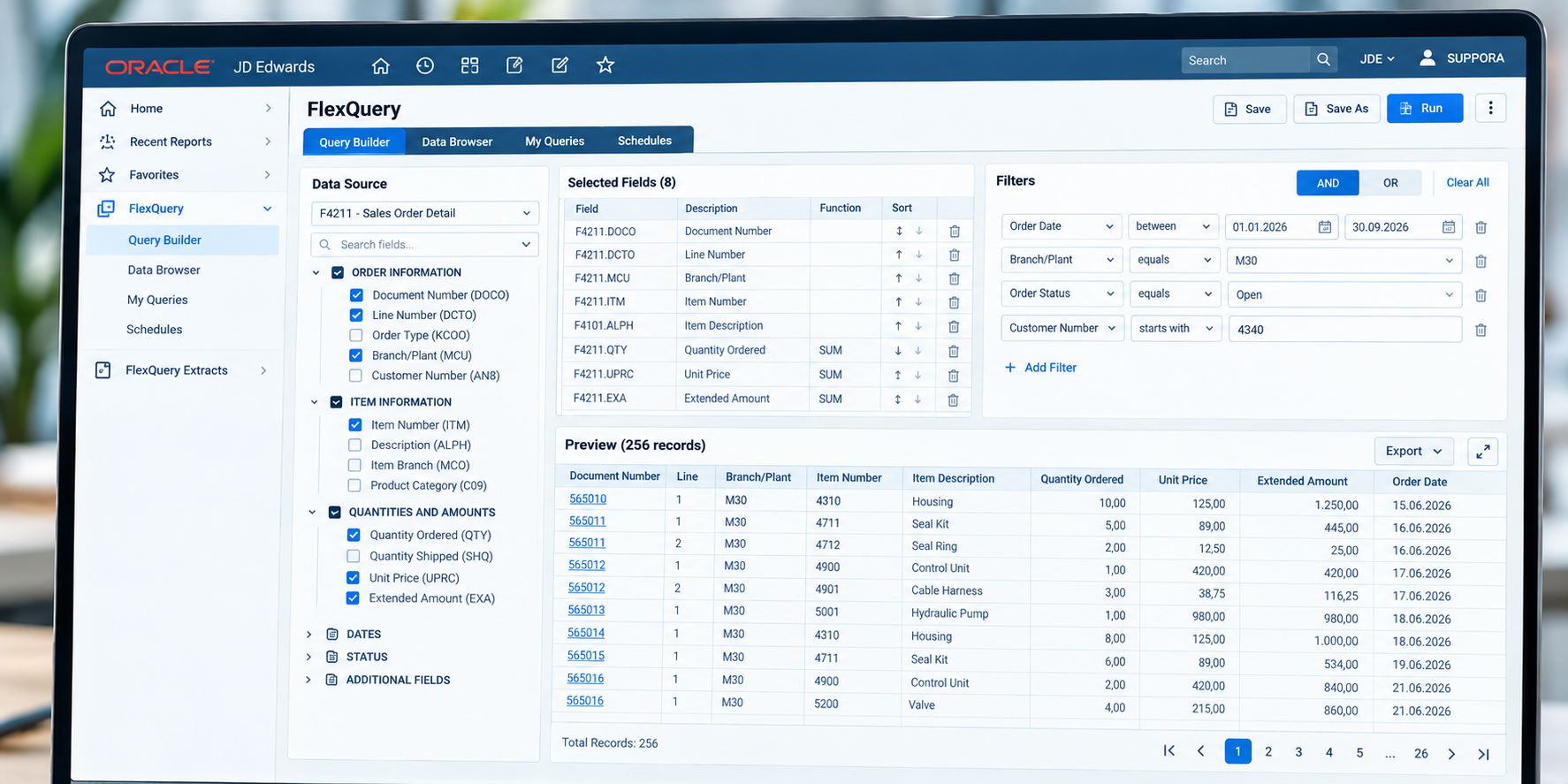
Choose the data you need, define the conditions and preview the result. FlexQuery makes common query tasks available through a visual interface within JDE EnterpriseOne.- Find data using business terminology
- Start from available query templates
- Select tables, fields and joins
- Apply filters and sorting
- Save queries for later use
FlexQuery / Data Browser
Review the result before you export it.
Browse the returned records, check the values and refine your selection. Once the data is right, export it in the format required by the next process.- Browse query results in a data grid
- Filter and sort results
- Export to Excel, CSV or XML
- Reuse saved queries
From JDE data to usable output
Sales orders, inventory, customers and other JDE information can be prepared for analysis, reconciliation and operational follow-up without building a separate report for each request.FlexQuery Extracts
Build it once. Deliver it when needed.
Recurring reports should not depend on someone remembering to run and forward them. FlexQuery Extracts supports scheduled generation and delivery of query results.Schedule
Configure recurring extracts for repeatable reporting tasks.Export
Generate results in Excel, CSV or XML format.Deliver
Send results by email or place output files in shared folders or on SFTP servers.Practical applications
Useful for the requests your teams handle every week.
FlexQuery is intended for everyday information needs that would otherwise generate repeated development and reporting work.01 / SALES
Open order lists
Retrieve and filter sales order information for operational follow-up.02 / INVENTORY
Stock data extracts
Prepare inventory information for analysis and reconciliation.03 / FINANCE
Recurring data requests
Save queries and distribute the results to the right recipients on a schedule.Try FlexQuery in your own JDE environment
Free installation in JDV920 and JPY920.
Evaluate FlexQuery with your own JD Edwards data in your development and prototype/test environments. Let your users try the query builder and scheduled extracts before deciding on the next step.What you can evaluate
- Visual query creation
- Business-term search and templates
- Excel, CSV and XML exports
- Scheduled extracts and delivery
Talk to a JD Edwards specialist